One central libraryEvery prompt, template, and skill.
Build once. Reuse anytime.
TEACH AI HOW YOU WORK.
Shape rough ideas into reliable Prompts, reusable Skills, and visual Workflows in one focused workbench.
Built for individual creators, founders and professionals.
Used by 0+ beta testers
idea
prompt
skill
workflow
Teach the AI once. Reuse the method wherever you work.reusable
HOW TO USE
Type. Enhance. Re-use.
01
Type as you thinkStart with one letter. We will autocomplete the example.
02
Buzz your promptGenerate suggestions, then choose with Tab, Enter, or 1–3.
03
Save and reuseStore the result in your library for next time.
01
Type D to autocomplete the starter prompt.
⌘/Ctrl + Enter
The BuzzCraft Way
Think systems,not one-off prompts.
Build the prompt. Capture the method as a Skill. Arrange Prompts and Skills into a Workflow you can reuse or export.
Start with a proven prompt
Save and refine the instructions that already produce useful results.
Turn it into a Skill
Combine prompts with context, examples, and reusable instructions.
Build the Workflow
Place Prompts and Skills on the map, then export selected rows or columns.
Suggest
Start with intent.
Not perfect wording.
Type the rough thought. BuzzCraft helps shape the direction.
- Intent-aware suggestions
Build
Stack prompts like building blocks.
Connect ideas with bridges and build step by step.
- Let's mix it up
Map
See how your workflow fits together.
Keep prompts, notes, and branches visible in one canvas.
- Visual workflow mapping
Rules + Search
Organize by your own rules.
Label, filter, and find every reusable prompt.
- Instant search to save time
Export
Turn proven prompts into agent skills.
Package proven instructions as portable Markdown skills.
- Export your skills

Messy thoughts?
no sweat. just buzzcraft
COMPANION EXTENSION
Explore BuzzCraft for Chrome Bring BuzzCraft into your Chrome Side Panel.
Find Skills and Prompts, enhance a Draft, then copy or insert it into normal web pages. Optional ChatGPT Capture is available when you grant access.
FROM PROMPT TO SYSTEM
One prompt—or a reusable system?
Save every prompt once. Find it later. Reuse it wherever you work.
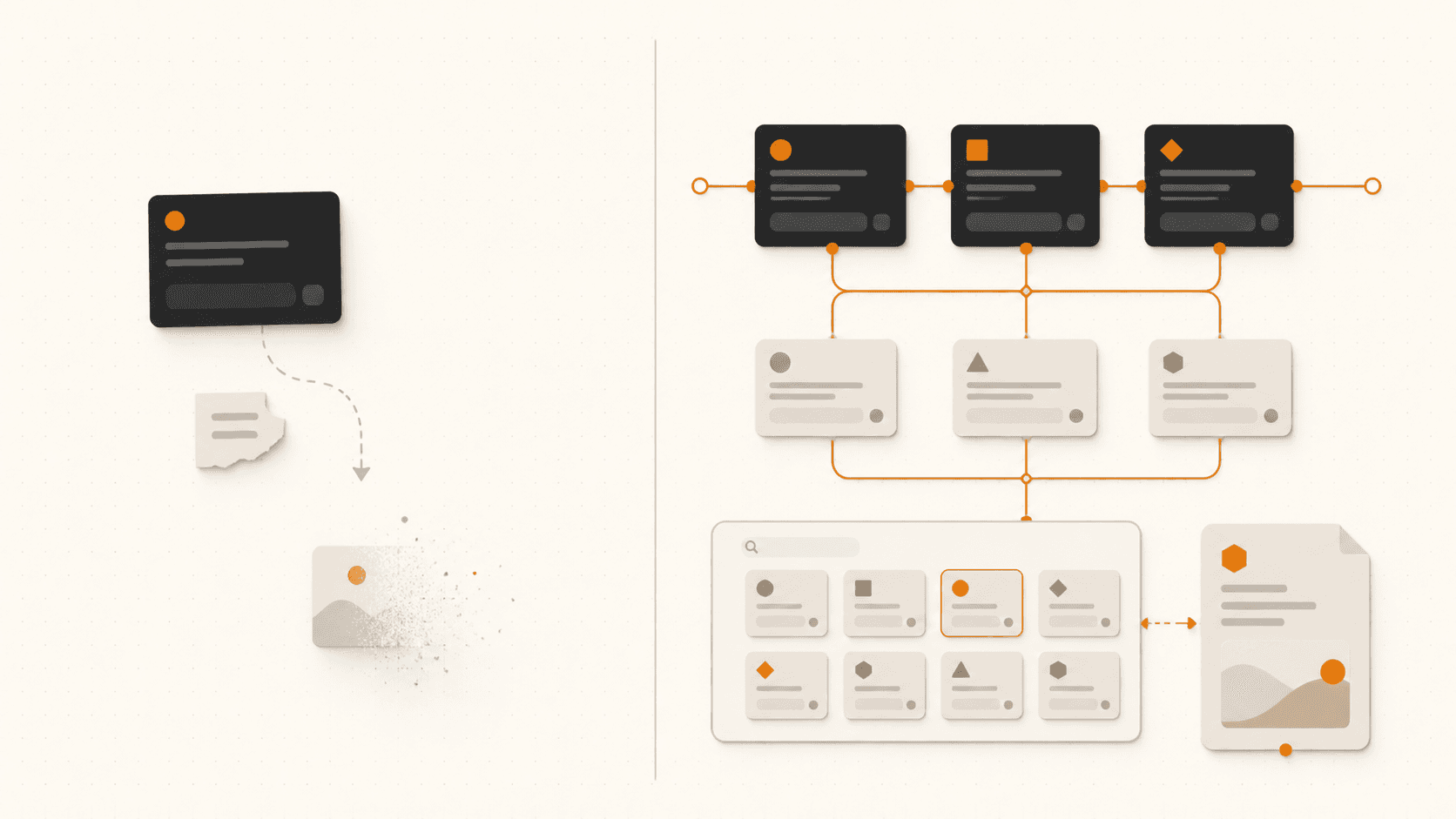
No scattered filesLeave Notes and Excel behind.
Open in the Chrome Side PanelSearch and reuse without tab hopping.
“Create a launch plan for my product.”
“Create a four-week B2B SaaS launch plan with audience, channels, owners, milestones, and success metrics.”
COMMON QUESTIONS
Prompt enhancing, engineering, and storage.
Is BuzzCraft an AI prompt enhancer and prompt engineering tool?
BuzzCraft is an AI prompt manager and enhancer for turning rough ideas into clearer instructions. Its visual prompt engineering workbench helps you build, organize, connect, and reuse prompt workflows.
Where can I store and organize my AI prompts?
BuzzCraft provides a central prompt library and searchable prompt storage for prompts, templates, notes, and agent skills—without scattered documents or Excel sheets.
Can I use my saved prompt library with ChatGPT?
Yes. BuzzCraft for Chrome keeps the same prompt library in the Chrome Side Panel. ChatGPT Capture is an optional adapter, while deeper visual Workflow editing stays in the full standalone AI workbench.
What is the difference between a prompt enhancer and a prompt library?
A prompt enhancer improves a rough instruction. A prompt library stores, labels, and retrieves the prompts that work. BuzzCraft connects both in one reusable system.
Level up when you are ready.
Start in Explorer, move into Creator, or unlock the one-time secret level when you want to own the workspace.
Start here
Explorer Mode
€0
Learn the system with limited hosted AI.
Hosted AI — Limited
Bring your own Key (BYOK)
Visual workflows — 2x rows (Beta)
Saved Prompts — 20
Prompt Builder (AI uses / day) — 20x
Prompt Templates — 5x
Skill Templates — 5x
Label Manager
Export as .md
Easy mode
Recommended for occasional users
Creator Mode
€9 after Beta€7 / month
Beta price. Full creative power. No API setup required.
Hosted AI — Included
Bring your own Key (BYOK)
Visual workflows — 100x workflows
Saved Prompts — Unlimited
Prompt Builder (AI uses / day) — 100x
Prompt Templates — Full access to 30x
Skill Templates — Full access to 15x
Label Manager
Export as .md
Full control
★ Power users' pick
God Mode
€45 / once
Founding price · during Beta.
* Then €59 after Beta.
One-time workspace ownership for users who want to own their Workbench and prefer to bring their own AI provider.
Bring your own Key (BYOK)*
Visual workflows — Unlimited
Saved Prompts — Unlimited
Prompt Builder (AI uses / day) — BYOK
Prompt Templates — Full access to 30x
Skill Templates — Full access to 15x
Label Manager
Export as .md
*Bring your own API key to avoid paying for hosted AI twice. Groq, OpenAI, and Anthropic keys are currently supported.